
Production expectations are rising everywhere.

Government agencies are streaming more meetings than ever. Newsrooms are delivering real-time updates across broadcast and digital simultaneously. Corporate teams are managing hybrid events as a standard practice. Sports programs are producing multi-platform experiences for fans and sponsors alike.
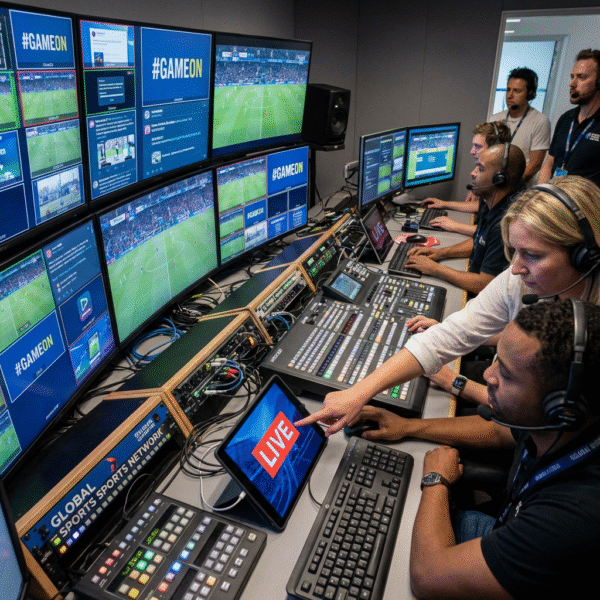
The demand for higher production quality is clear.
What’s less clear is how to meet that demand without expanding infrastructure, increasing staffing pressure, or layering on disconnected tools that create operational strain. The organizations succeeding today aren’t simply adding more technology. They’re designing intentional workflows that allow production value to scale in a structured, sustainable way.
Building a Graphics Workflow That Scales
Scaling production quality starts with how graphics are structured.
Modern teams don’t rebuild graphics for every event. They develop reusable systems — templates that define layout logic, animation timing, brand standards, and formatting rules upfront. Once established, these systems allow operators to update content without reworking design elements.
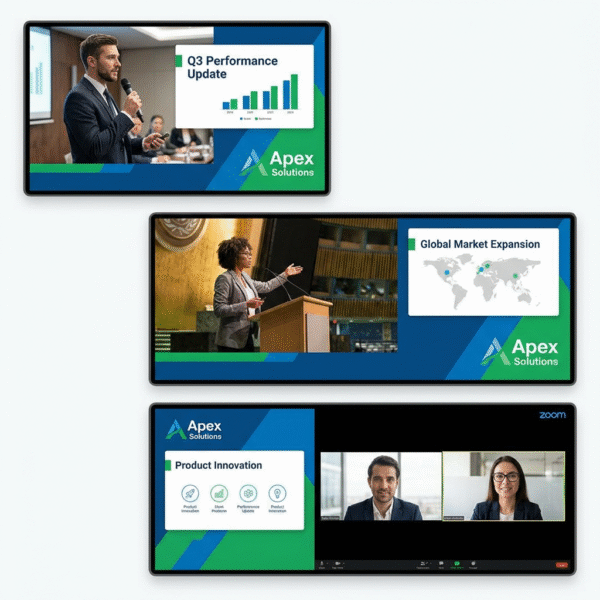
In corporate production, this means executive presentations, investor calls, and internal broadcasts maintain consistent branding across every event. In government settings, recurring council meetings and public briefings follow standardized visual formats that preserve clarity and accessibility. In sports, motion packages adapt from game to game while keeping sponsor integrations and team branding intact.
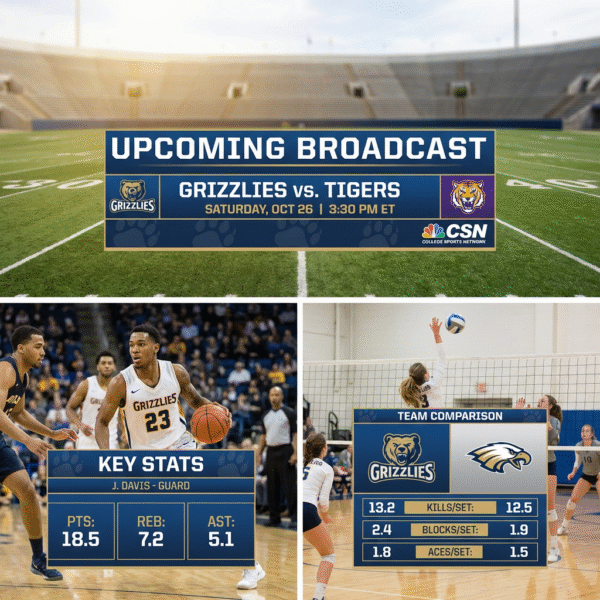
The difference is intentional structure. When graphics are built with defined rules and reusable components, teams spend less time recreating assets and more time refining the production itself. Flexibility remains — special events, new sponsors, updated rosters — but those changes happen within the system rather than outside it. That balance between structure and adaptability is what allows quality to grow without introducing instability.
Making Data Part of the Workflow
As expectations increase, manual updates become a hidden risk.
Modern production environments treat data as part of the workflow architecture — not an afterthought. In newsrooms, rundown systems and lower thirds update dynamically during breaking coverage. Government productions can integrate agenda files or voting results directly into graphics. Corporate teams increasingly incorporate live polling, schedules, and presentation data into their visual layers. In sports, live stat feeds populate scoreboards and player graphics automatically.
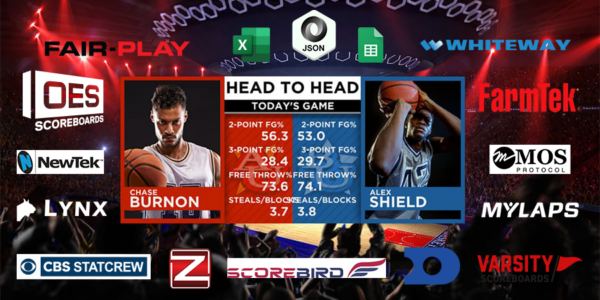
When data is connected to the graphics system, operators move from typing information to managing it. Updates happen instantly. Accuracy improves. Response time shortens. That shift reduces error potential and allows production teams to focus on timing, storytelling, and audience engagement instead of repetitive entry tasks. The impact isn’t just operational. It’s strategic. Reliable, automated updates create confidence during live production — and confidence improves performance.
Designing for Multi-Platform Output from the Start
Today’s productions rarely serve a single screen. A single event may require in-venue displays, broadcast feeds, livestream overlays, and social cutdowns — sometimes simultaneously. Without intentional planning, this multiplies workload quickly.
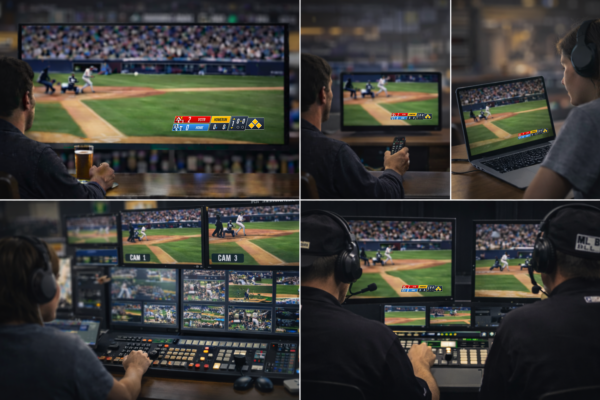
Modern graphics workflows account for multiple outputs from the beginning. Layout logic considers resolution and aspect ratio differences. Systems render across destinations withoutrequiring duplicate design files or parallel processes. Instead of recreating assets for each platform, teams deploy from a unified package. This reduces redundancy and preserves consistency, two factors that directly impact scalability.
Integrating Tools with Purpose
Scaling production doesn’t mean avoiding new tools. It means adding the right tools at the right time — in ways that strengthen the overall workflow. A modern production environment might include an ATEM switcher for camera control, Dante for networked audio distribution, and Bitfocus Companion or Stream Deck panels for streamlined triggering and control. Each system performs a defined function.
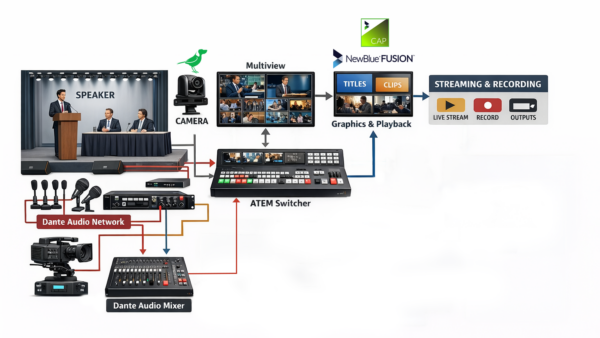
When it comes to graphics, implementing a dedicated solution such as a NewBlue Captivate Fusion or EMEA Fusion system allows teams to centralize visual production, automate data integration, and support multiple outputs within existing SDI or NDI infrastructures. The goal isn’t accumulation. It’s cohesion.When systems are modular and interoperable, expanding capability doesn’t increase operational strain. It increases clarity.
The Strategic Advantage
For operators, structured and automated workflows reduce repetitive tasks and lower error risk. For leadership, the benefits are measurable:
- Faster turnaround times
- Greater consistency across events
- Reduced retraining costs
- Scalable infrastructure that adapts to growth
- Improved long-term return on technology investments
Most importantly, intentional workflows create resilience. As production demands evolve, systems adapt without requiring a complete rebuild. That is what sustainable production growth looks like.
Learn More About Scaling with Captivate
If you’re evaluating how to modernize your live graphics workflow, NewBlue Captivate is designed to integrate directly into today’s modular production environments — across government, news, corporate, and sports settings.
Whether deployed as software or as part of a NewBlue Captivate Fusion or EMEA Fusion system, Captivate centralizes graphics, enables automation, and supports multi-output workflows without introducing unnecessary complexity.
Learn more about how NewBlue Captivate can support your workflow and help you scale.